PIM or ERP: two tools, two business areas
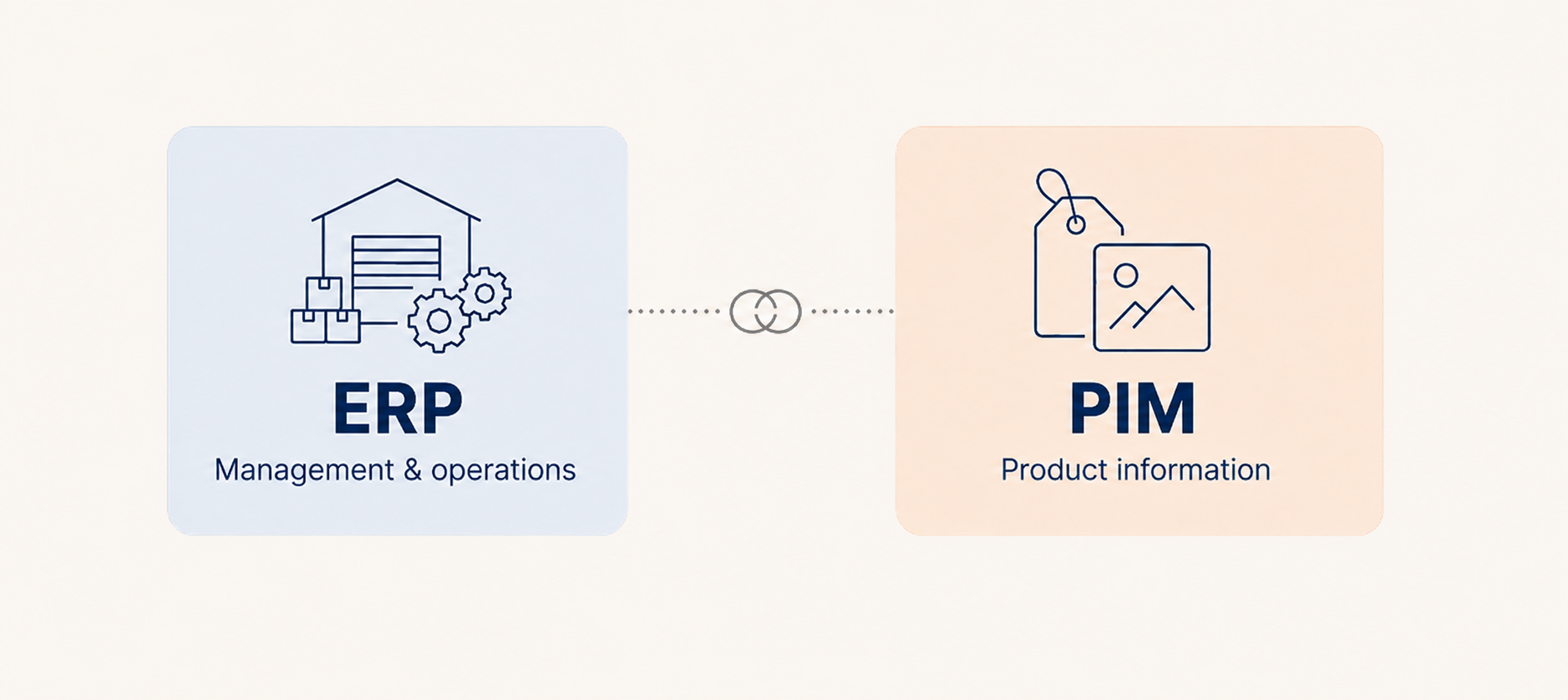
An ERP system manages your operations: stock, orders, invoicing and accounts.
A PIM manages your product information to sell your products: descriptions, images, technical specifications, translations. The former keeps the business running, whilst the latter sells the products. One does not replace the other; they work in tandem.
| Criteria | ERP | PIM |
| Purpose | Managing operations and administration | Enrich and disseminate product information |
| Data type | Transactional: stock levels, purchase prices, costs, accounting entries | Marketing and technical: descriptions, media, attributes, translations |
| Key users | Finance, logistics, procurement, production, HR | Marketing, e-commerce, digital, product managers |
| Channels | Internal | E-commerce sites, marketplaces, catalogues, apps, retailers |
| The question it answers | How much is in stock, at what cost, and by when? | How should this product be presented, to whom, on which channel, and in which language? |
| Cost | €€€€ (licences, integration, maintenance) | €€ (more affordable, often available as SaaS) |
| Deployment time | Long: from several months to over a year | Quick: from a few weeks to a few months |
| Examples of solutions | SAP, Sage, Cegid, Microsoft Dynamics, Odoo | Akeneo, Pimcore, Quable, Salsify |
| When to adopt it | As soon as your internal management becomes more complex | As soon as you’re selling across multiple channels or in multiple languages |
What is an ERP?
ERP (Enterprise Resource Planning, or integrated management software) is the company’s central management system. It brings together all internal data (stock levels, orders, invoicing, payroll, human resources, procurement and accounts) in a single place, from which each department can access what it needs and, in turn, feed data back into the system.
On a day-to-day basis, the finance department closes its accounts more quickly, the logistics team tracks deliveries in real time, and senior management has access to up-to-date figures without having to wait for the next report. When a product comes off the production line, the ERP system records its cost price, the components used and the remaining stock. It is indispensable for management and decision-making.
But ERP stops where sales begin. The data it holds is internal, designed for management, not for convincing a customer. An item code and a purchase price do not make for a product listing that makes people want to buy.
Long reserved for large corporations due to its cost and the complexity of its deployment, ERP has now become widely accessible. SaaS-based solutions have brought it within reach of SMEs, which can now implement it without needing an entire IT department.
What is a PIM?
PIM (Product Information Management) addresses a need that ERP systems do not cover: centralising all the information that describes your products, enriching it and distributing it consistently across all your sales channels.
This includes product names and sales pitches, technical specifications (weight, dimensions, composition), associated media (photos, videos, pictograms, PDF manuals), variations by language and market, as well as regulatory and environmental data – an aspect that is becoming increasingly important in sectors subject to labelling or traceability requirements.
It is the day-to-day tool for marketing, e-commerce and digital teams. It saves them a considerable amount of time, ensures that the same product sheet is identical on the website, on Amazon and in the printed catalogue, and shortens the time between ‘the product exists’ and ‘the product is on sale ’. Whilst the ERP system is the reference for management data, it is the PIM that takes precedence over the product listing once it goes on sale.
The quality of this data is no minor detail. In its report *Reducing data costs without jeopardising growth* (2020), McKinsey estimated that, without the right tools, teams spend 20 to 30 per cent of their time cleaning up and ensuring the reliability of their data rather than utilising it. This is all the more true for product data, which is the most scattered of all: all those hours are spent on neither selling nor creating.
The difference between PIM and ERP: what really sets them apart
It all comes down to the nature of the data being processed: managing the business on the one hand, selling the product on the other.
ERP focuses on workflows, costs and stock levels: how many SKUs you have, at what price, and when they’ll be available. PIM operates on a different level, that of content and channels: how a product should be described, with which visuals, in which language, depending on the target marketplace. As a result, the two systems are not aimed at the same people within the organisation: ERP is for operational teams, whilst PIM is for those who interact with customers.
A management accountant spends their days in the ERP system; an e-commerce manager, in the PIM. Expecting a single tool to serve everyone is to ensure that it will serve no one properly.
We sometimes hear that an ERP system is sufficient, as some offer a product module. In practice, these modules cover part of the requirement (storing a few attributes and visuals), but overlook what makes a PIM valuable: collaborative enrichment workflows, detailed multilingual management, and automated distribution to sales channels. A module is not a dedicated tool, and the shortfall is paid for in terms of time spent and inconsistencies.
PIM and ERP: two complementary tools, not competitors
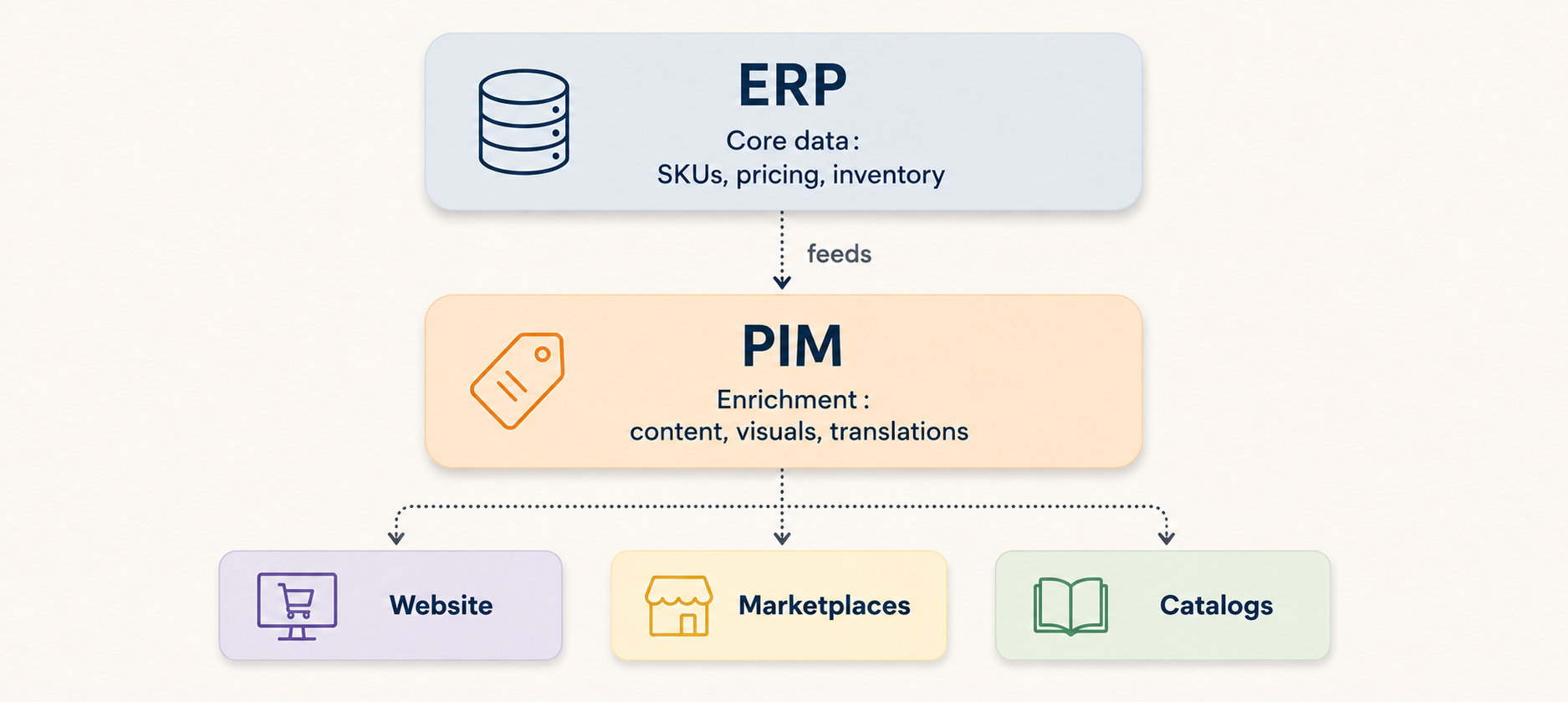
In a well-managed project, the ERP and PIM systems do not need to compete for territory: each has its own role. The ERP provides the master data: product references, prices, supplier codes and stock levels. The PIM retrieves this data, enriches it with marketing content, visuals and translations, and then sends it back to the website, marketplaces and catalogues.
The link between the two is established via connectors or APIs, sometimes through an integration platform where the information system is complex. This is the principle of the master data repository, known as MDM (Master Data Management): each piece of data has a single owner – the ERP for management and the PIM for the enriched product details. This avoids the classic pitfall where the same information exists in three different places, with three different values.
We also frequently encounter DAM (Digital Asset Management), which manages large media files: high-definition photos, videos and 3D visuals. For a small catalogue, the PIM is sufficient for storing images. For large volumes, it is paired with a DAM. Determining where this threshold lies is part of the project scoping process.
ERP + PIM: the architecture that makes all the difference to your sales
Once the two tools are working in tandem, the benefits are immediately evident in day-to-day operations. Manual re-entry is eliminated, and with it, transcription errors. Product listings become identical across all channels. Above all, time-to-market is significantly reduced, often falling from several weeks to just a few days, depending on the volume of SKUs to be processed. For a brand selling through multiple channels, this increase in speed makes a real difference with every launch.
Signs that your ERP system has reached its limits
You don’t need a full audit to sense that something isn’t quite right. There are a few tell-tale signs that almost always crop up:
Your teams spend all day copying and pasting data between Excel, Word and the ERP system.
The same product sheet is described differently depending on the channel.
Launching a new product takes weeks.
Translations are managed manually, spreadsheet by spreadsheet.
You can’t adapt your content to the requirements of each marketplace.
Just one of these signs is enough to make you consider a PIM. If several apply at once, the question is no longer whether you need one, but when you’ll get started.